Restaurant Website Features That Actually Bring in Orders and Bookings
The 11 features that turn a restaurant or cloud kitchen website into direct orders and table bookings, and the common mistakes that quietly cost you customers.
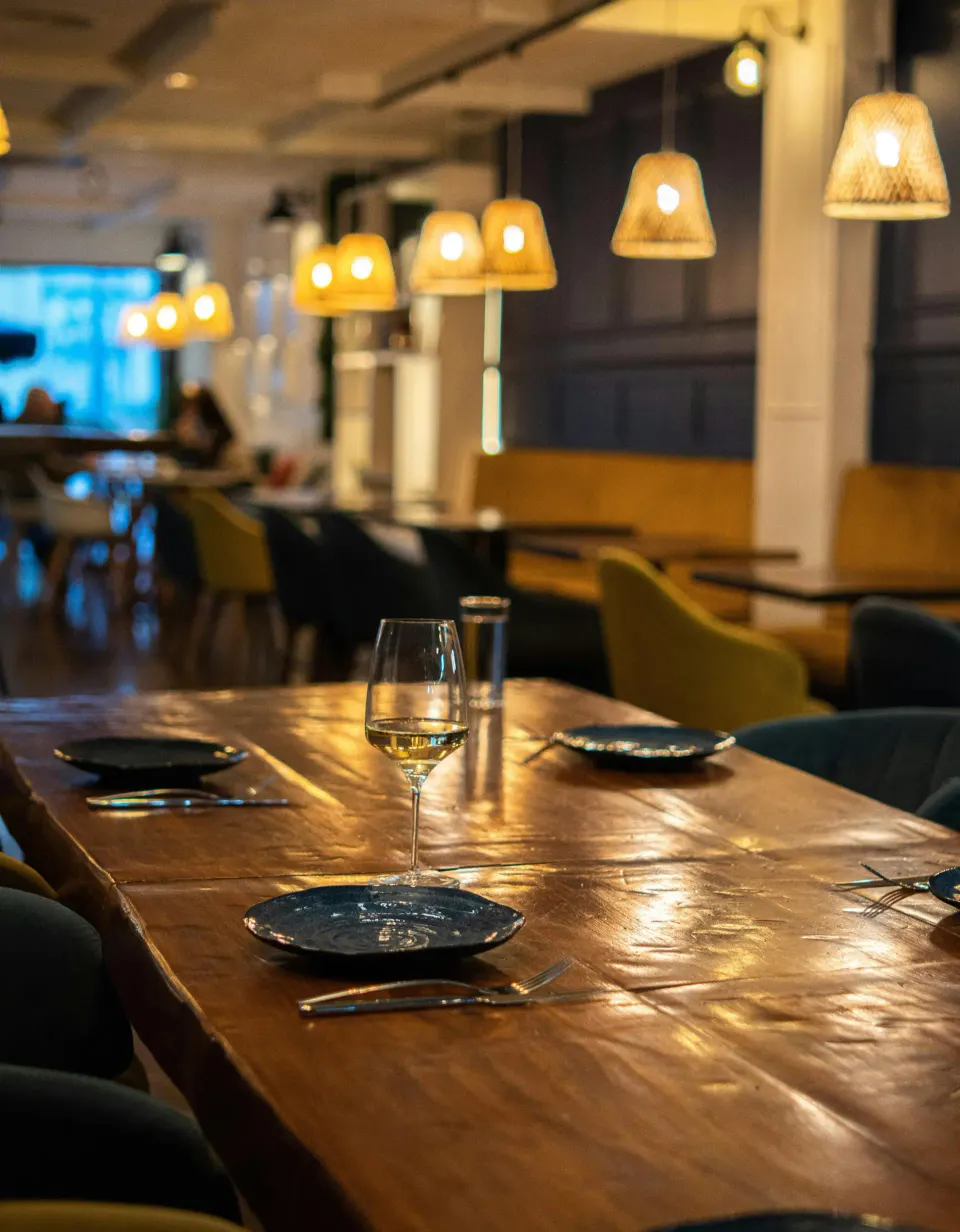
Most restaurant websites are digital brochures: a hero video, a PDF menu and an Instagram link. They look nice and do almost nothing for the business. A good restaurant website has one job, to turn someone who is hungry right now into an order or a booking, and every feature on it should serve that job.
This list comes from the restaurant, café and cloud kitchen sites we design. You can see several of the layouts on our blueprints page.
Why your own website still matters
Swiggy and Zomato are great for discovery. They also take a commission on every order, commonly reported in the range of 18 to 30 percent, and they own the customer. You do not get the phone number, you cannot send an offer, and if the platform changes its ranking, your orders change with it.
Your own website is the one channel you fully control. It ranks when people search your name, it takes direct orders without commission, and it is where regulars go to book a table for a birthday.
11 features that bring in business
1. A text menu, not a PDF
The menu is the most visited page on any restaurant website. Make it real text with dish names, short descriptions and prices. It loads instantly on a phone, Google can read it, and customers can find the dish their friend recommended.
2. One-tap call, WhatsApp and directions
On mobile, put three buttons where a thumb can reach them: call, WhatsApp and get directions. Most of your visitors are deciding where to eat in the next hour. Do not make them hunt for a phone number.
3. Table booking that confirms instantly
A booking form that sends an email to someone who checks it tomorrow is worse than no form. Use a booking system that shows available slots and confirms on the spot, or at least sends the booking straight to the manager’s WhatsApp.
4. Direct online ordering
Even a simple order flow with UPI payment and a delivery radius can move a meaningful share of repeat orders off the aggregators. Offer a small reason to order direct, such as a free dessert or a lower price.
5. Opening hours that are always right
Wrong hours cost you twice: a wasted trip and a bad review. Show today’s hours clearly, include holiday changes, and keep them in sync with your Google Business Profile.
6. Restaurant structured data
Structured data is code that tells Google your cuisine, address, hours, price range and menu link in a format it understands. It helps your details appear correctly in search results and maps. Visitors never see it; Google does.
7. Photos that load fast
Food sells through the eyes, but a 5 MB photo on mobile data sells nothing. Use a handful of excellent photos, compressed to modern formats such as WebP or AVIF and sized for the screen. Skip the autoplay video on the homepage; it is the most common reason restaurant sites feel slow.
8. Real reviews, in context
Show a few recent Google reviews near the booking button, where doubts appear. Link to your Google profile so new customers can read more and happy ones can add theirs.
9. A page for each outlet
If you have more than one location, each outlet needs its own page with its address, map, hours, phone number and photos. That is how you rank for searches like “biryani in Gachibowli” as well as “biryani in Banjara Hills”.
10. Private dining and events
Birthdays, office parties and small weddings are often your most profitable bookings. A dedicated page with capacity, sample menus and an enquiry form captures them.
11. A way to come back
Collect phone numbers or emails with consent through ordering, booking or a simple offer. A WhatsApp broadcast to regulars on a slow Tuesday is worth more than a hundred new followers.
Mistakes that quietly cost customers
- Menu only as a PDF or as Instagram posts.
- Prices missing, which makes people assume you are expensive.
- Autoplay video or huge images that take seconds to load on mobile.
- An address that does not match Google Maps exactly.
- A contact form instead of a phone number.
- No link from your Google Business Profile to the website.
Extra notes for cloud kitchens
Cloud kitchens have no dining room, so the website is the storefront. Three things matter more than usual: a clear delivery area (a map or a list of localities), a fast checkout with UPI, and brand pages if you run several virtual brands from one kitchen. Each brand should feel distinct even if the ordering system behind them is shared.
Launch checklist
- Menu as text with prices, checked on a phone.
- Call, WhatsApp and directions buttons visible on mobile.
- Booking or ordering tested end to end with a real payment.
- Hours, address and phone identical on the site and Google Business Profile.
- Restaurant structured data added and validated.
- Images compressed, no autoplay video, page loads in under three seconds on 4G.
- Google Analytics and Search Console connected.
If you run a restaurant, café or cloud kitchen and want a site that does this, see our website development service or ask us about local SEO to rank in your area. We are happy to review your current site for free.
FAQ
Frequently asked questions
Does a restaurant need a website if it is on Swiggy and Zomato?
Yes. Aggregators are good for discovery, but they take a commission on every order and keep the customer relationship. Your own website captures direct orders and bookings, ranks for searches like your restaurant's name, and lets you build a list of repeat customers.
Should my restaurant menu be a PDF?
No. PDF menus are slow on phones, hard to read and difficult for Google to understand. Put the menu on the page as text with prices, and keep it updated.
How much does a restaurant website cost?
A well-built restaurant website with menu, booking and Google setup typically costs ₹40,000 to ₹1,20,000. Direct online ordering or multiple outlets add to the cost.
How can my restaurant rank on Google Maps?
Claim and complete your Google Business Profile, keep your name, address and phone number identical everywhere, add photos and the menu, respond to reviews and link the profile to your website.
Keep reading
More guides
How Much Does a Website Cost in India in 2026? A Line-by-Line Breakdown
Real 2026 price ranges for business websites, Shopify stores and custom builds in India, plus the yearly costs most quotes leave out.
Next.js vs WordPress for a Small Business Website: An Honest Comparison
Speed, SEO, security, editing and cost compared. When WordPress is the right call for a small business, and when Next.js is worth it.
Shopify vs a Custom eCommerce Website: When Does Custom Actually Pay Off?
Plan fees, app costs and transaction fees over three years, and the clear signs your store has outgrown Shopify. A practical guide for Indian brands.